
Mac · App
bluebell hub guide
bluebell hub is your local Event Hub. Keep it running to receive bluebellctl events, save and deduplicate them, and send them to Apple devices according to your settings.
Mac app introduction and download →
App structure
One app with a bundled command-line tool
| Program | Responsibility |
|---|---|
| bluebell hub.app | Local IPC, 2-second settlement, history, deduplication, Mac notifications, the CloudKit outbox, and retries. |
| bluebellctl | Parses arguments or JSON, then passes events to the app through a local Unix Domain Socket. |
Home
Four main sections
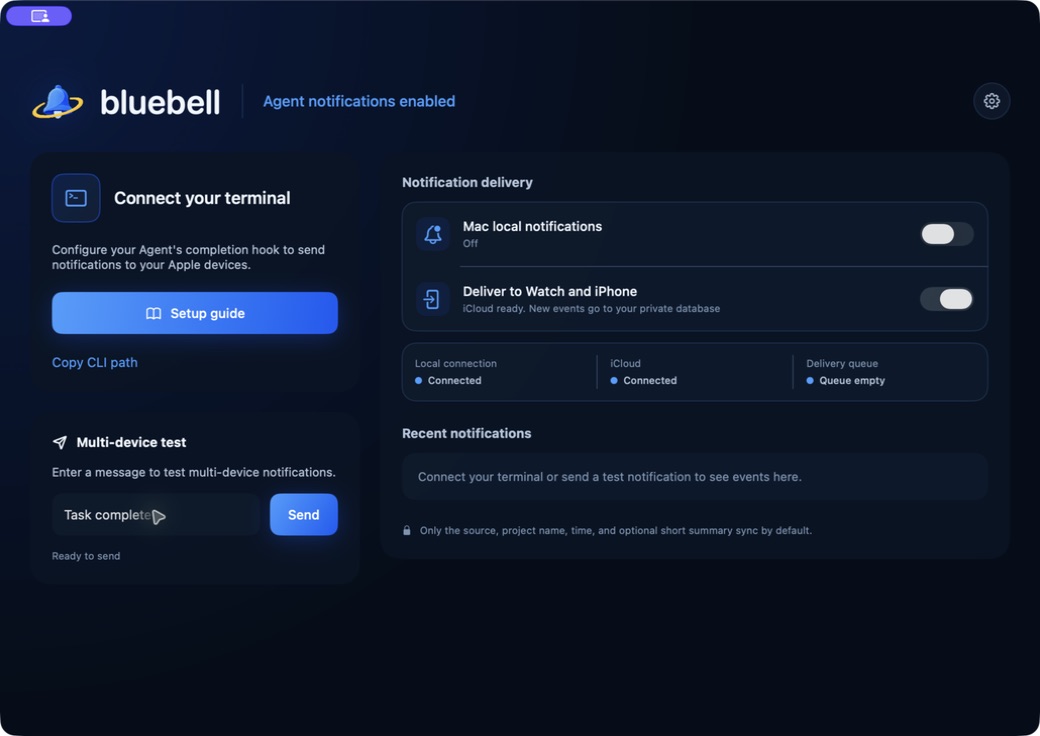
Connect your terminal
Copy the actual CLI path and open the offline setup guide. The app does not scan tools or mark them as installed.
Multi-device test
Enter 1–128 characters to add a test to the cloud queue when iCloud is ready and remote delivery is enabled.
Notification delivery
Shows local IPC, iCloud, and the delivery queue separately. Account availability is not reported as successful notification delivery.
Recent notifications
Shows source, project, summary, and time. Up to 200 recent events are stored locally.
Delivery control
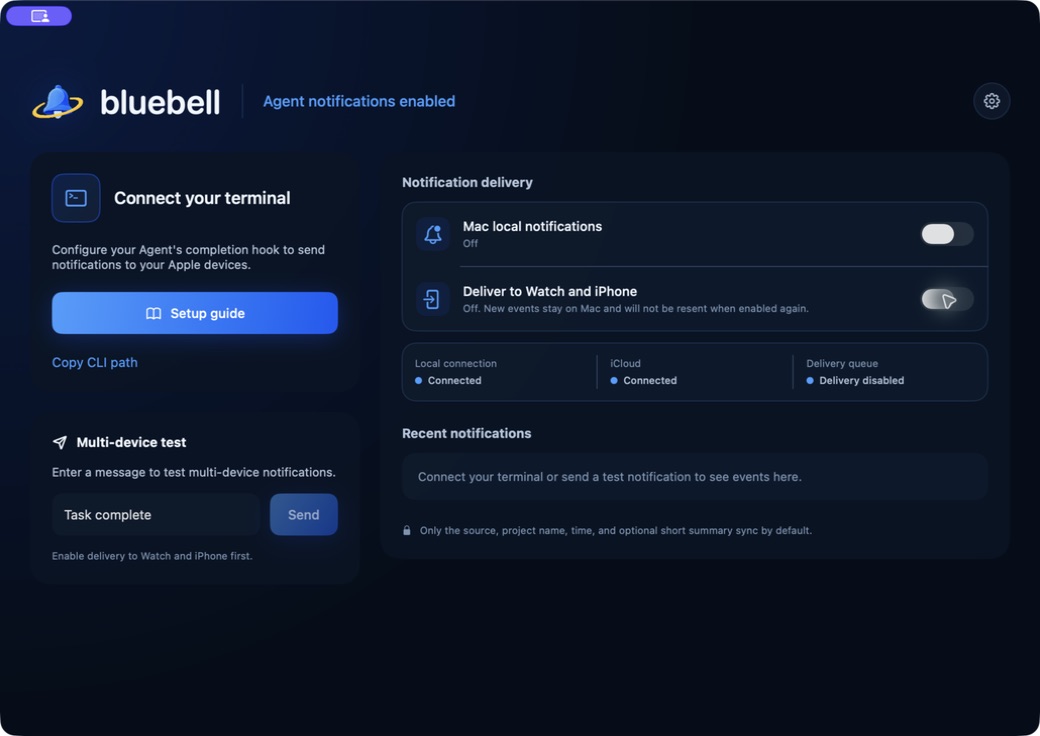
“Deliver to other Apple devices”
This switch covers iPhone, iPad, and Apple Watch with bluebell installed; it does not guarantee simultaneous alerts on every device. It is on by default and saved with the Event Hub state. It controls only the remote CloudKit path. Mac local notifications have a separate switch.
| Action | Result |
|---|---|
| Turn off | Clears the remote outbox for all accounts, including pending, retrying, and in-flight entries. Candidates still in the 2-second settlement window become local-only. |
| Receive events while off | Events are saved immediately as localOnly without waiting for iCloud or entering the remote queue. |
| Turn on again | Only newly received events are sent. Previously cleared events and events received while off are not replayed. |
| Interface while off | Multi-device tests and manual delivery retries are disabled. |
After upgrading, manually update identified Bluebell helper paths in your Agent configuration from bluebellMac.app to bluebell hub.app, preserving other hooks. Keep quotes around the new path because it contains a space. Use the actual path shown in the app’s guide.
Test by layer
Local tests and multi-device tests are different
1. Local terminal test
'/Applications/bluebell hub.app/Contents/Helpers/bluebellctl' emit \
  --source 'My Agent' \
  --workspace-name 'Integration test' \
  --dedupe-key "bluebell-test:$(uuidgen)" \
  --local
This command checks CLI → IPC → Event Hub → Recent notifications without using CloudKit. Mac banners additionally require local Mac notifications to be enabled and system permission to be granted.
2. Multi-device test from the home screen
Enter a message under “Multi-device test” and send it. The button is available only when remote delivery is on, iCloud is ready, and the message contains 1–128 characters. “Queued” is not a delivery receipt from Watch.
Diagnostics
Understand delivery status
- Local connection: Whether bluebellctl can connect to the Event Hub.
- iCloud: Whether the current CloudKit account is available for remote writes.
- Delivery queue: The number pending or retrying. A retry card expands only for persistent errors.
“Pending / retrying” in the outbox means the CloudKit write has not succeeded, not that the iPhone or Watch version is wrong. Configuration errors prompt you to check the container environment, schema, entitlements, and current build.
Local data
Recent notifications and settings
Recent notifications shows 20 entries by default. Choose 50, 100, or all in settings. “All” still means at most the 200 records stored locally. Changing the display count does not delete records.
Clearing recent notifications requires confirmation and deletes only this Mac’s history list. It does not delete pending candidates, the CloudKit outbox, cloud records, or deduplication IDs, and does not withdraw notifications already delivered.
Settings also include appearance, Mac local notifications, launch at login, and privacy. Turning Mac local notifications off clears pending and delivered Agent notification cards, without deleting bluebell training, timer, or Flow notifications.